Mac owners: three taps tell you whether iPhone games run on your Mac, and which way.
Tap an answer above. Your route appears here after the first tap and sharpens with each one.
Free on iPhone · also listed for Apple silicon Macs
How do you play iPhone games on a Mac?
On a Mac with Apple silicon, install the game from the Mac App Store if it carries a Designed for iPhone or Designed for iPad label; on other recent Macs, use iPhone Mirroring to play your actual iPhone in a window. Intel Macs cannot install iPhone apps at all.
Apple silicon installs the game. Mirroring borrows your iPhone. Intel does neither on its own.
What your quiz result means
Your Mac
Install iPhone games
iPhone Mirroring
Apple silicon, macOS 15+
Yes, labeled apps
Yes, with an iOS 18 iPhone
Apple silicon, older macOS
Many apps, but some need a newer macOS
No, needs macOS 15
Intel with T2 chip, macOS 15+
No
Yes, with an iOS 18 iPhone
Intel without T2, or older macOS
No
No
Not sure which chip? Open the Apple menu and choose About This Mac. An Apple silicon Mac shows a Chip line such as Apple M1; an Intel Mac shows a Processor line instead.
Two lines in About This Mac answer most of this page.
Proof: the iPhone game we tested this check with
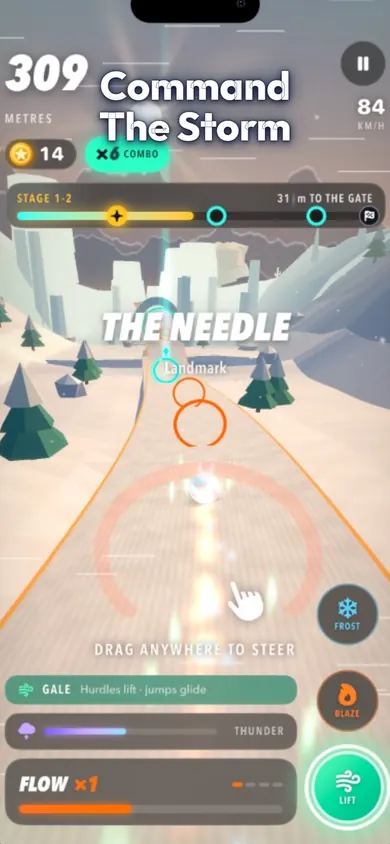
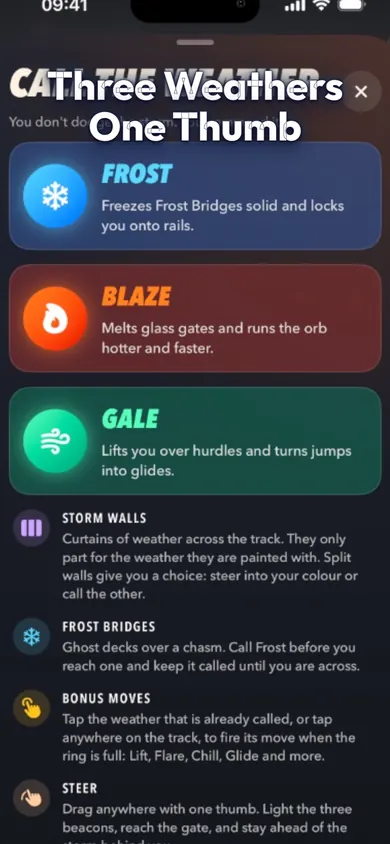
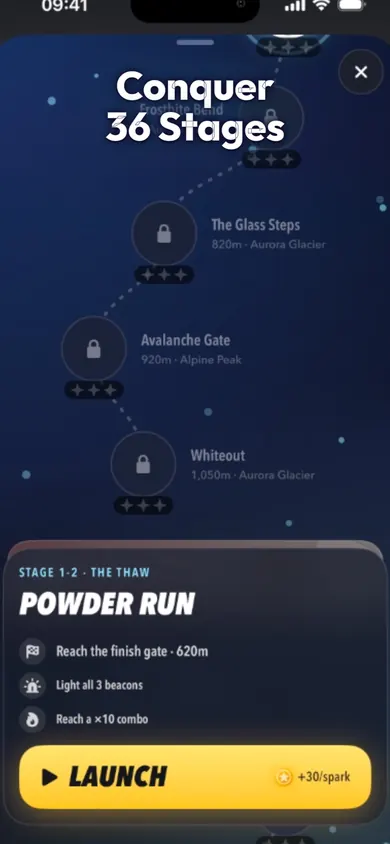
We make RushOrb: Storm Atlas, an iPhone runner whose App Store listing includes Mac support for macOS 15.0 or later on an M1 chip or later. These are its store screenshots, taken on iPhone.
Steering is a drag; weather buttons sit on the right edge.Three weathers, each a tap away.36 stages, each with a gate to reach.
How to install an iPhone game on an Apple silicon Mac, in 3 steps
Search the Mac App Store. Type the game's name. Compatible results carry a Designed for iPhone or Designed for iPad label. Already own it on iPhone? Your purchased apps that work on Mac show up when you view your purchases.
Install and open it. It opens in a window shaped like a phone or tablet screen. Your progress may not carry over unless the game syncs it.
Set up touch. Choose the app's name in the menu bar, then Settings, and look through the tabs for touch alternatives. Apple's tip: press and hold Option to use the trackpad as a virtual touch screen.
Using iPhone Mirroring instead
Open the iPhone Mirroring app on the Mac and follow the setup. Your iPhone must stay locked and nearby, and both devices need Wi-Fi and Bluetooth on. The Mac can't be sharing its internet connection or using AirPlay or Sidecar at the same time, and game audio plays through the Mac unless headphones are connected to the iPhone.
Install when you can; mirror when you can't.
Honest limits
One pointer, two thumbs. We built RushOrb to steer with one thumb and call the weather with the other. A trackpad or mouse gives you one pointer, so steering and calling Frost at the same instant is awkward. It runs on a Mac; it plays best on the iPhone.
Not every game is offered. Developers decide whether their iPhone game appears on Mac, so a favourite can be missing even on an M-series Mac.
Mirroring has rules. It is unavailable in the European Union, works with one Mac and one iPhone at a time, and wireless controllers connect to the iPhone, not the Mac.
We tested what Apple documents, not every Mac. This page repeats Apple's requirements; it does not promise how any game feels on your specific model.
A Mac is a fine second screen for a phone game, rarely a better first one.
Who this route is not for
Intel Mac owners without a T2 chip. Neither route works. Play on the iPhone, or look at games built for macOS.
Players who want keyboard controls. iPhone games keep their touch design; some map keys, many don't. A native Mac game will feel better.
Readers in the EU hoping to mirror. Apple says iPhone Mirroring is not available there yet.
Anyone after a big-screen RushOrb. Honestly, a short stage on the phone you already hold is the better habit than a window on a desk.
iPhone games on Mac: quick answers
Can you play iPhone games on a Mac?
Yes, two ways. A Mac with Apple silicon can install iPhone and iPad apps that the App Store labels Designed for iPhone or Designed for iPad. Any Mac that meets iPhone Mirroring's requirements can show and control your actual iPhone in a window.
Why can't I find an iPhone game in the Mac App Store?
Either your Mac has an Intel chip, which cannot install iPhone apps, or the developer has not made that game available on Mac. Only apps that work on Apple silicon Macs carry the Designed for iPhone or Designed for iPad label.
How do I tap and swipe with a trackpad?
Apple's support page says to press and hold the Option key to use your trackpad as a virtual touch screen. Each app also has touch alternatives you can turn on under the app's name in the menu bar, then Settings.
What do I need for iPhone Mirroring?
A Mac with Apple silicon or an Apple T2 Security Chip on macOS Sequoia 15 or later, an iPhone on iOS 18 or later with a passcode, the same Apple Account with two-factor authentication on both, Wi-Fi and Bluetooth on, and the iPhone locked and nearby.
Is iPhone Mirroring available everywhere?
No. Apple's support article states that iPhone Mirroring is currently unavailable in the European Union.
Can I use a game controller with iPhone Mirroring?
Apple says wireless controllers must connect to the iPhone, not the Mac, when you play through iPhone Mirroring.
Does RushOrb run on a Mac?
Its App Store listing lists Mac support for macOS 15.0 or later with an Apple M1 chip or later. It was designed for two thumbs, though, so it plays best on the iPhone itself.
Is RushOrb free on Mac too?
It is the same free App Store app, with no ads and no account. Optional purchases are RushOrb Plus Monthly $2.99, RushOrb Plus Yearly $19.99, Founder Bundle $7.99, Cosmic Orb Pack $1.99, Trail Pack $1.99, Neon Orb Pack $1.99 and Full World Pack $2.99.
Make it a habit with RushOrb
One stage on the iPhone at lunch, one on the Mac when you are curious. Free, no ads, no account, full offline play.
Daily challenge games like Wordle (arcade)Same seed for everyone, one fresh run a day. Play today's 1-minute storm stage, compare 4 daily modes, and see how RushOrb's Daily works.