For parents choosing a number game: no ads, no links in child profiles, works offline.
Demo board · par 2
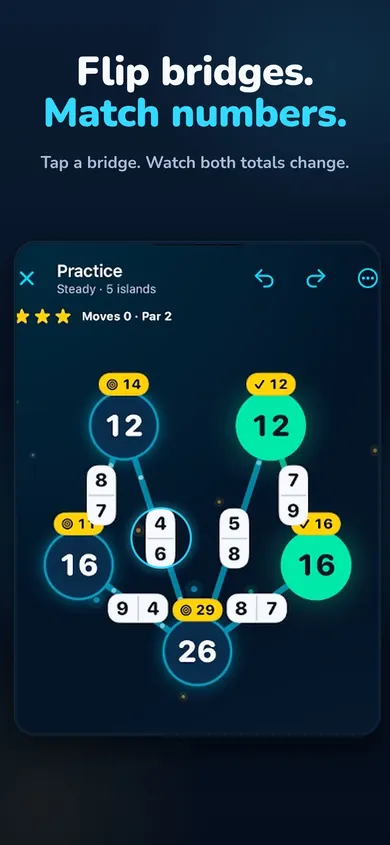
Watching the rule. Tap any bridge to play.
Each island adds the numbers on the bridge ends touching it. Tapping a bridge swaps its two numbers.
Free on iPhone and iPad
Which number puzzle games for kids have no ads?
Look for an app whose App Store listing says "no ads" in plain words, whose privacy label says what it collects, and whose child mode has no purchase buttons or outside links; Sumbriska, which we make, is built that way. The rest of this guide explains how to check any app in two minutes, then shows what Sumbriska is like for a beginner.
Read the listing, then the privacy label, then the purchase list. In that order.
A mini story: the car-ride test
Picture a long drive and a child in the back seat who wants "a game with numbers". The first free app you try opens with a video ad. The second asks for an email. The third has a shop button on the main screen that leads straight to a payment sheet.
Sumbriska starts on a child profile. There's a board with three glowing islands, each showing a target number, and short bridges with two numbers on them. Tap a bridge and the two numbers swap ends, so both islands' totals change. The child flips, adds, flips back. No video, no sign-up, no shop in sight, and it keeps working when the signal drops halfway through the trip because it runs fully offline.
The demo at the top of this page is a tiny three-island version of that first board. It's the honest pitch: if your child likes it, they'll probably like the app.
A good kids' game is boring to describe: no ads, no links, no data, a puzzle.
Proof: what your child will see
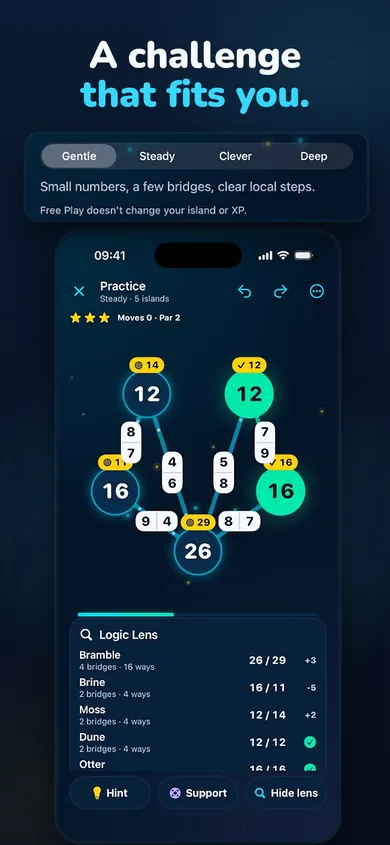
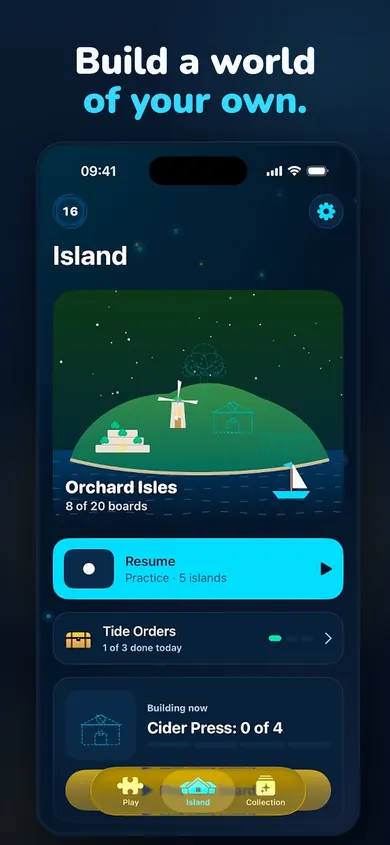
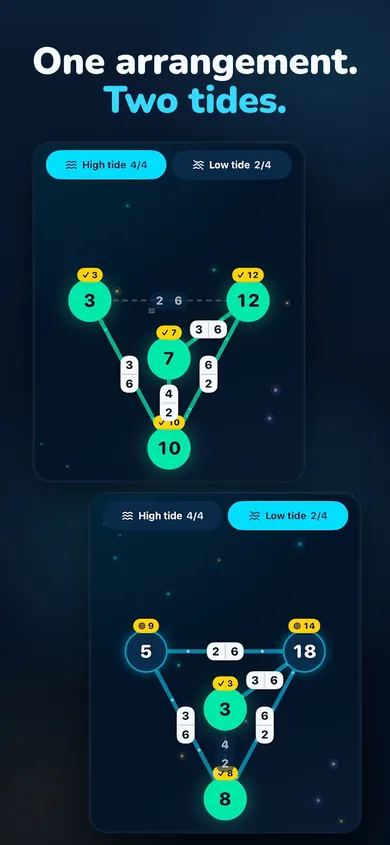
A real board: each island shows its total; the tag above shows its target.Gentle uses small numbers and a few bridges. Start there.Solved boards build the harbor island.Two Tides: one layout, two schedules. For later.
How Sumbriska works in 3 steps
Read the targets. Every island has a target number. Its current total is the sum of the bridge ends that touch it.
Flip a bridge. Tapping a bridge swaps its two numbers, so one island goes up and the other goes down by the same amount. That's the whole rule.
Match every island. When every total equals its target, the board is solved. Each board shows a par and a star rating, and hints, Undo and step explanations never cost XP.
For a beginner, this means a child is adding small numbers over and over while thinking ahead ("if I flip this one, that island loses two"). We designed it to reward careful, unhurried thinking rather than speed.
What to check in any kids' number puzzle app
Ads. The description should say "no ads" in plain words. If it's silent, assume there are some.
Purchases. Scroll to In-App Purchases on the listing. Then check whether the app keeps purchases out of the child's view.
Links. Outside links (to websites, other apps, social media) are the quiet way kids leave a safe app.
Data. The App Privacy section shows what the developer says it collects. Apple notes it has not verified these labels.
Accounts. A puzzle game shouldn't need your child's email.
Offline. If it works offline, it works in the car, and it can't be sending much while it does.
Belt and braces: Apple's Ask to Buy lets a family organiser approve or decline each app download or in-app purchase a child requests, whatever app it's in.
Parents' questions about Sumbriska
Does Sumbriska have ads?
No. The App Store listing says there are no ads and no accounts, and the developer's privacy label on the App Store reads "Data Not Collected".
Can my child buy things inside Sumbriska?
Not from a child profile: the listing says child profiles have no purchases and no links, and the adult area is protected by a PIN or Face ID. For extra cover across every app, Apple's Ask to Buy lets a parent approve or decline each purchase request.
What age is Sumbriska for?
The App Store rates it 4+. In practice, the rules take a minute to learn and the boards reward careful adding, so children who are comfortable adding small numbers in their head will enjoy it most. Younger children can play side by side with a parent.
Is Sumbriska free?
The free download includes regions 1 and 2, the Daily board, The Deep and Harbor Run. The optional Voyage Pass ($4.99 a month or $29.99 a year, no free trial) adds regions 3 to 6, side boards, Gale Run, the 3-4 ring workshop and premium cosmetics.
Does it work without Wi-Fi, for example in the car?
Yes. The listing says Sumbriska works fully offline.
Is Harbor Run stressful for kids?
Harbor Run is the timed mode. If your child dislikes timers, simply skip it and play the Daily board or The Deep instead. Hints, Undo and step explanations never cost XP.
Does Sumbriska work on iPad?
Yes. The App Store listing shows it for iPhone and iPad (iOS and iPadOS 18 or later).
Comparison strip: free vs Voyage Pass
Free download
Voyage Pass (optional)
Regions
1 and 2
Adds 3 to 6
Modes
Daily board, The Deep, Harbor Run
Adds side boards and Gale Run
Workshop and cosmetics
Not included
3-4 ring workshop, premium cosmetics
Ads
None
None
Price
$0
$4.99 a month or $29.99 a year, no free trial
Checked against the App Store listing. Updated November 2026. Prices may vary by region.
Honest limits
It's addition only. If you want times tables, fractions or a school curriculum, pick a dedicated maths learning app instead.
The free version is complete to play but smaller: regions 3 to 6 need the Voyage Pass, a subscription. Child profiles can't buy it; an adult has to.
Harbor Run is timed. Some children love that, some don't. You can simply skip it.
The 4+ rating is about content, not difficulty. Very young children who can't add yet will need you beside them.
One design decision we made: hints never cost XP. A child who asks for help should not lose anything for it.
Who should pick something else: families looking for a full maths curriculum or multiplayer games.
Try the first board together
Gentle difficulty, three islands, two minutes. Download free on the App Store.
Sumbriska: the number bridge puzzleFlip bridges until every island hits its exact sum. A calm number bridge puzzle for iPhone: no ads, offline, two regions free.
Early finisher math puzzles: free printableEight printable number bridge puzzles for early finishers, from 3 islands to 6, with an answer key. Free PDF, no sign-up, ready to copy.